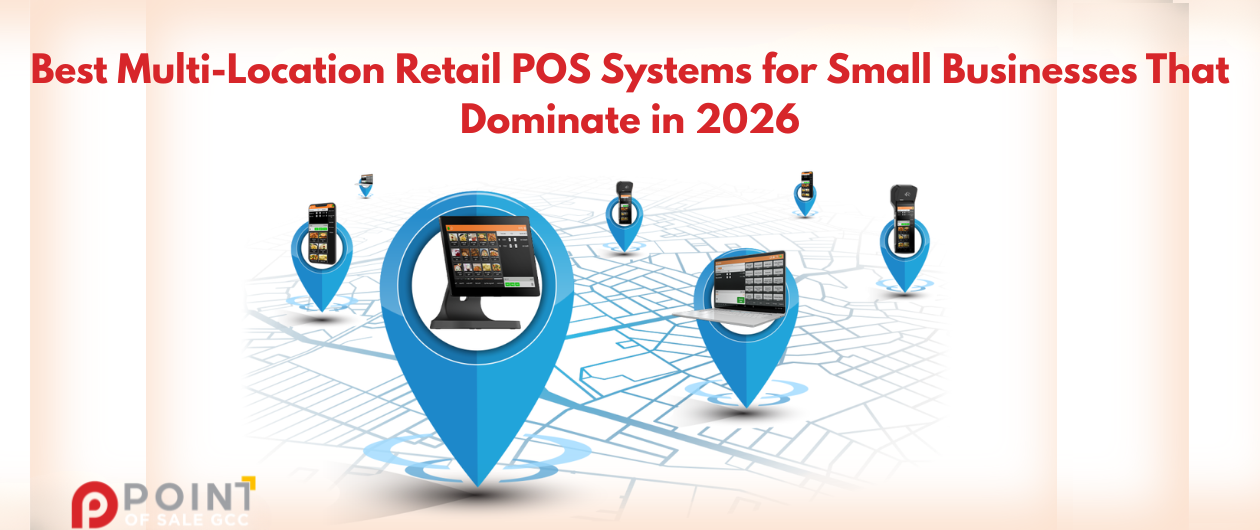
Running one store is hard. Running three is… weirdly harder in ways you don’t expect until you’re in it.
In 2026, many small retailers in the UAE are doing the same thing. Expanding from 1 store to 2 to 10. Opening a kiosk in a mall for the season. Testing pop-ups. Selling on Instagram or online while still relying on walk-in traffic. And suddenly the “simple” POS you started with feels like a stack of duct tape.
This guide is not a list of random brand names. It’s what to look for, what usually breaks in multi-branch setups, and how to choose the right multi-location retail POS Software for small businesses in the UAE.
Why multi-location POS matters more in 2026 (especially for small retailers)
Small businesses aren’t staying “small” in footprint anymore. They’re scaling sideways. A second branch in another emirate. A small counter inside a partner store. A weekend stall. An online channel that suddenly becomes 30 percent of sales.
The pain usually shows up like this:
- Sales data is scattered across devices or stores, so you never fully trust the numbers.
- Inventory doesn’t match reality. You think you have stock. You don’t. Or you have it, but it’s in the wrong branch.
- Pricing gets inconsistent. One store runs a discount. Another store forgets. A cashier overrides a price because “that’s what we do here”.
- Reporting becomes manual. End of day exports. Spreadsheets. WhatsApp messages like “bro, what was today’s total?”
The biggest problems small businesses face with multi-branch retail (and how a POS fixes them)
A multi-location setup breaks in predictable places. It’s almost boring how consistent it is.
1) Inventory drift (the silent killer)
You get stockouts in one store while another store sits on dead inventory for weeks. Then you overorder because you’re scared of running out again. And your cash gets stuck in slow-moving items.
A multi-location POS should give you:
- Centralized inventory across all branches
- Real-time stock levels per location
- Stock transfers between branches (with tracking, not “trust me, I sent it”)
- Low stock alerts per store, not globally vague alerts
2) Pricing and promotions inconsistency
One branch uses a new price. One branch didn’t get the memo. Or someone sets a promo on the fly, and now customers argue at the other location.
What you want is:
- Central price books that push to all stores
- Promo rules you can apply by location, dates, categories, or customer groups
- Controls around discounts and manual overrides
3) Slow, messy reporting
If your “reporting” is end-of-day spreadsheets, you’re not managing multiple locations. You’re surviving them.
Multi-location POS reporting should give:
- One dashboard across stores
- Store-wise performance comparisons
- Product, category, brand, and supplier level reporting
- Time-based views (hourly, daily, weekly), which matter a lot for malls and tourist seasons
POS Software in UAE: 2026 requirements you should not ignore
A POS can be “good” and still be wrong for the UAE in 2026. This is where small businesses get burned, usually after they have already bought hardware.
VAT readiness (non-negotiable)
You need accurate tax configuration and clean reporting. Not “we can export something and your accountant will fix it”.
Look for:
- VAT settings by product/category if needed
- VAT reports that make sense, not cryptic exports
- Invoice and receipt formatting that supports compliance and clarity
Payment integrations in the UAE
Card terminals, digital wallets, tap-to-pay. Customers in the UAE are fast, and they expect a frictionless checkout.
Your POS should support:
- Smooth payment workflows with the terminals you can actually get locally
- Clear handling of tips (if relevant), refunds, and split payments
- Tap to pay trends, especially for pop-ups and kiosks
Data hosting and security basics
You don’t need to be a cybersecurity expert. But you do need basics done right:
- Role permissions
- Encrypted data
- Access logs
- Backups and restore options
- Offline mode for when the internet drops at the worst moment, because it will
How to choose the right software based on your store type (quick matching guide)
“Most features” is not the same as “best”. A grocery store needs speed. A boutique needs variants and exchanges. Electronics need control.
Here’s a quick matching guide to help you shortlist.
You’ll feel pain at checkout speed and stock replenishment.
Prioritize:
- Fast barcode scanning and quick search
- Weighted items support (if you sell produce or deli-style items)
- Frequent promos and bundles
- Supplier reorders and purchase tracking
- Clear low stock alerts by location
It’s all about variants and customer experience.
Prioritize:
- Size/color variants that don’t break reporting
- Easy exchanges across branches (not a workaround)
- Customer profiles and purchase history
- Loyalty and targeted promos
- Clean tagging by season/collection (helps with dead stock decisions)
Cafés with retail shelves (hybrid)
This is common in the UAE now. You sell coffee fast, but also retail items like beans, mugs, snacks, and merch.
Prioritize:
- Quick checkout flow
- Retail inventory tracking alongside fast-moving items
- Ability to handle both “service speed” and “stock accuracy.”
- Simple staff switching between counter and retail tasks
Top Features in Multi-Location Retail POS Software
The best multi-location retail POS software in 2026 is the one that fits your store type, your growth plan, and your branch complexity. Not the one with the longest feature list. Not the one your friend uses for a totally different business.
Here are the 2026 non-negotiables.
- Real-time inventory by location, plus transfers
- Centralized reporting across stores, with filters that owners actually use, providing a level of consistency in management that is crucial
- Strong permissions and audit logs, especially for refunds and discounts
- VAT-ready configuration and reporting
- Offline mode that still lets you sell when the internet is down
- Easy scaling for new branches, pop-ups, kiosks, and temporary counters
- Fast onboarding and training, because staff turnover is real
Closing: a subtle next step if you’re expanding in the UAE
If you’re planning to expand, don’t wait until the second branch is open to “figure out POS later”. Pick a realistic go-live date, build that scorecard, and test those five scenarios. You’ll learn more in one afternoon than in ten sales calls.
And if you want a UAE-focused starting point for multi-location retail needs, you can contact Point of Sale GCC or request a demo and compare it against your checklist. Not to be sold to. Just to see if it matches how your branches actually run.
Because once you get the right software in place, expansion stops feeling like chaos. It starts feeling like control, visibility, and smoother scaling.